Designing with AI. Scaling with Systems.
CASE STUDY · AI IN MY DESIGN PROCESS
Integrating AI into my design process
- Role
- Lead UX Designer
- Focus
- AI-Augmented UX Workflow
- AI & design tools
- ChatGPT, Claude, Perplexity, Figma MCP
- Development tools
- Claude Code, VS Code, Figma Make
As a Lead UX Designer, I explore how AI can enhance the way I research, design, collaborate, and deliver digital experiences.
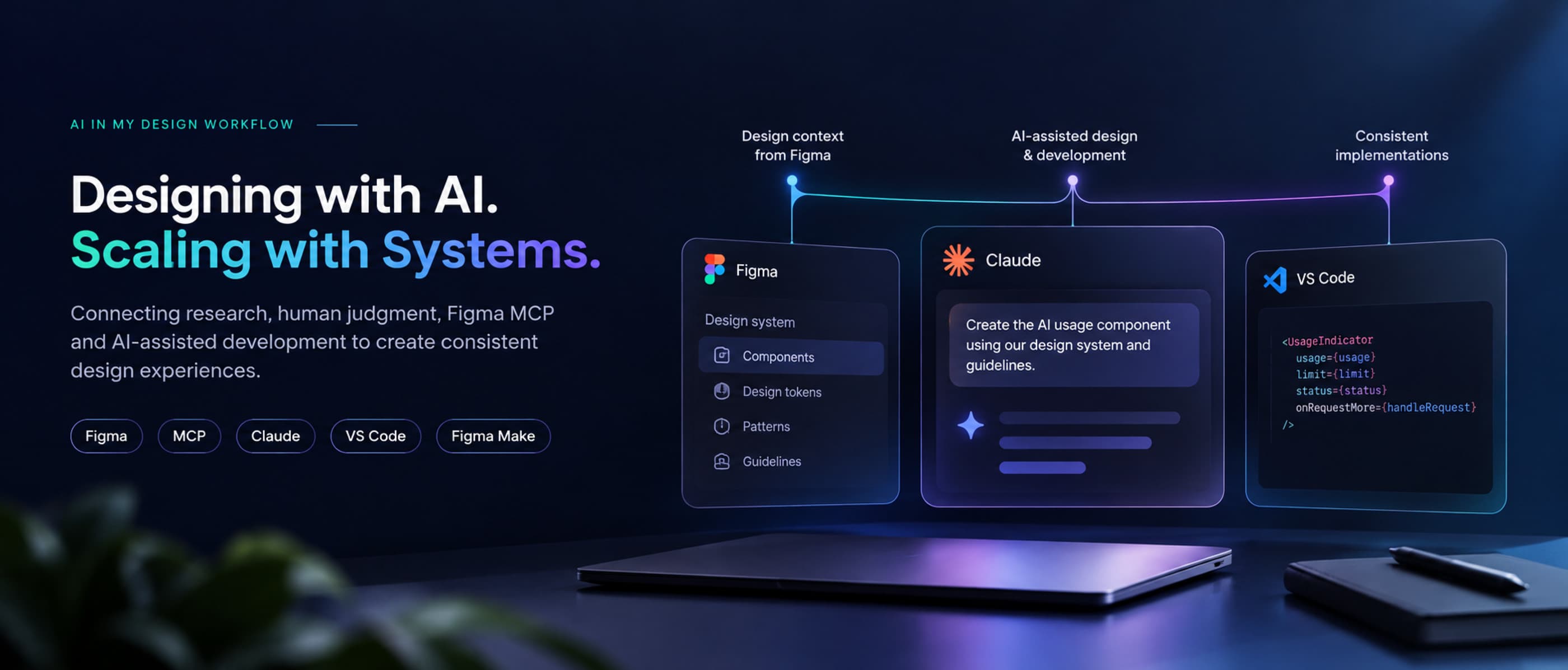
My approach combines AI-assisted research, human-led decision-making, and direct Figma MCP integration to connect AI tools with established design systems. I also use custom GPT agents and AI-assisted development tools to streamline content creation and implementation.
Through real-world projects, I've integrated AI into different stages of the UX workflow—helping accelerate exploration, maintain design consistency, and move ideas closer to working experiences.
THE CHALLENGE
Moving faster without compromising Design Quality
As a Lead UX Designer, my role involves more than defining design direction. I also work hands-on with the team to research complex UX problems, explore solutions, review concepts, and deliver design-system-aligned guidelines.
Traditional workflows often require significant effort to move between research, design exploration, documentation, and implementation. While AI can accelerate individual tasks, disconnected tools and limited design-system context can introduce inconsistencies and additional rework.
The challenge was to integrate AI across the design workflow while keeping design decisions, quality, and consistency under human control.
Key challenges identified
Time-intensive research and exploration
- Understanding existing UX patterns, comparing approaches, and translating research into relevant concepts takes time.
Maintaining design-system consistency
- AI-generated concepts need to follow established components, tokens, interaction principles, and enterprise requirements.
Fragmented design-to-delivery workflows
- Moving between design tools, AI assistants, documentation, and development environments creates repeated manual work.
MY AI-INTEGRATED WORKFLOW
Connecting AI across the design process
I integrate AI across the UX lifecycle—from research and concept exploration to design execution, documentation, and development.
By connecting Claude directly with Figma through MCP and providing structured design-system guidance, I bring relevant design context into AI-assisted workflows. Research findings and generated concepts are evaluated through design critique before moving into final execution.
This approach helps me work more efficiently while keeping human judgment, design quality, and consistency at the center of the process.
STORY 1 · AI USAGE AND CREDIT LIMITS
Designing AI usage limits across three AI modes
AI features consume credits or tokens. Without a shared pattern, each product team would show usage differently, or not at all, and users would hit a wall with no warning and no way forward.
I defined one consistent way for users to see their usage, get warned before they run out, and request more, across the full-page copilot, the contextual side panel, and non-conversational AI.
Four states every AI mode must handle
User state
Credits available
Approaching the threshold
Limit reached
Request more
What the user needs
See overall usage at any time, without it getting in the way
A clear early warning before credits run out
Understand why AI stopped and what happens next
A direct way to ask for more, right where they hit the limit
- How leading AI products show usage and limits
- Published guidelines on AI limits and upgrades
- When and how to warn before the limit
- Request-more and upgrade flows
- Placement in chat vs. embedded AI
- Fit with our product requirements
- Fit with our design system components
Four states across three AI modes: 12 combinations to keep consistent.
THE DESIGN PRINCIPLE
Never let a user hit a wall without a way forward.
Every limit state tells users what happened, what it means for their work, and what they can do next.
HOW I WORKED
From AI-assisted research to finished documentation
I worked hands-on with the team to move this pattern from research to delivery quickly. AI handled the wide, repetitive work; the concept and critique stayed human.
1. Research with AI
Broad research in hours, not days: I used Claude and Perplexity to study how other AI products show usage, limits, and upgrade paths, and which published guidelines exist.
Design focus: Findings were verified against the original sources before I used them.
2. Fit to our context
From findings to requirements: I mapped the research against our product requirements and the components already in our design system.
Design focus: Reuse existing components before proposing anything new.
3. Concept for three AI modes
Human-led concept: I created the concept for all three AI modes and the four usage states.
Design focus: The same logic everywhere, adapted to the space each mode has.
4. Team critique
Challenged together: We ran critique calls with the team to test the concept against real product cases, then finalized it together.
Design focus: One agreed concept, ready for design and documentation.
5. AI-assisted design and documentation
Constraints make AI useful: I gave Claude our documentation format, tone, language, and the design system. Claude drafted the designs and documentation pages.
Design focus: I reviewed, corrected, and refined every page before it was published.
WHERE EACH STATE LIVES
Placing usage, warnings and limits in each AI mode
Each mode has a different amount of space and a different relationship with the host product, so the same four states appear in different places.
Usage indicator in the workspace header. The threshold warning appears as a banner above the prompt input. At the limit, the input is disabled with a Request more credits action, while the conversation history stays readable.
A compact usage indicator sits in the panel header, and a compact inline banner above the panel input warns early. At the limit, the panel input is replaced by the limit message and request action; the host product keeps working.
Usage is shown on hover or focus of the AI action, and a warning marker on the action signals the threshold. At the limit, the AI action is disabled with an explanation and a request link.
STORY 2 · BUILDING MY PORTFOLIO
Designing and building this portfolio with AI
I designed and built this portfolio end to end with AI as a working partner. It shows I can take an idea from structure to shipped code, not only to a Figma file.
Research and IA
ChatGPT and Claude helped me study strong portfolios and define the site structure.
Custom GPT content agent
Set up with my voice, my projects, and one case study format.
Built with Claude in VS Code
Claude as a coding partner; I reviewed every change and tested each page.
Reviewed by me
I edited every page for accuracy and tone, and kept confidential details out.
OUTCOMES & LEARNINGS
Faster delivery with human judgment in control
The usage and limits pattern became part of the AI UX guidelines, giving every product team one tested answer instead of twelve separate decisions. AI took on the wide, repetitive work, so I could spend more time on concept, critique, and quality.
Key learnings
1. Constraints make AI useful
Giving Claude a fixed format, tone, and our design system turned generic output into on-brand, usable pages.
2. AI is strongest at breadth; people improve the concept
AI covered more research ground than I could alone, but team critique is where the concept got better.
3. Building in code changed how I hand off
Shipping my own portfolio in VS Code showed me what engineers need from a design.
AI makes me faster at gathering, drafting, and building. The decisions that affect users stay with me and my team.
IF YOU GOT THIS FAR…